> ## Documentation Index
> Fetch the complete documentation index at: https://docs.lightspark.com/llms.txt
> Use this file to discover all available pages before exploring further.
# Global Accounts
> Give your customers a branded, self-custody dollar account powered by Grid.
export const FeatureCardGrid = ({cols = 3, children}) =>
{children}
;
export const FeatureCard = ({icon, title, children, href, linkHref, linkText, color, tag, tagPosition, layout, variant, iconSize}) => {
const isHorizontal = layout === 'horizontal';
const isFlat = variant === 'flat';
const isLargeIcon = iconSize === 'lg';
const isInlineTag = tagPosition === 'inline';
const card =
{icon &&
{color ?
:

}
}
{isInlineTag ?
{title}
{tag && {tag}}
:
{title}
}
{children}
{tag && !isInlineTag &&
{tag}
}
{linkText &&
}
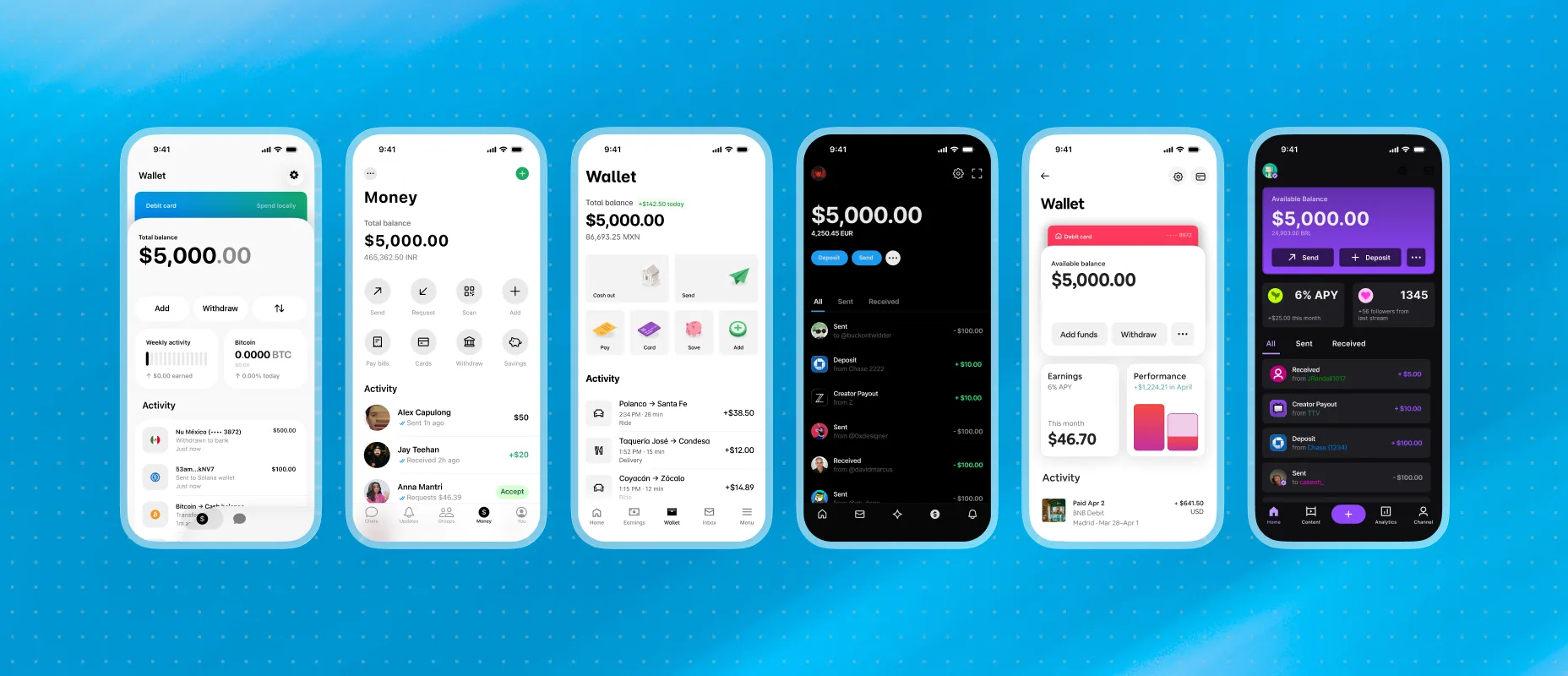 A Grid Global Account is powered by a self-custody embedded [Spark](https://spark.money) wallet Grid provisions for your customer that holds a stablecoin or BTC balance and participates in the standard Grid payment flows. It behaves like any other internal account for *incoming* funds, but every outbound transfer must be authorized by the customer — a session signing key issued for their device signs each payment. In the API, a Global Account is an internal account with `type: "EMBEDDED_WALLET"` that participates in the standard Grid customer, quote, transaction, and webhook flows.
## Why a Grid Global Account?
* **Self-custody.** Grid never has unilateral access to move user funds, and neither do you. The customer's device is the only party that can authorize a transaction.
* **Stablecoin-denominated.** Balances are held as stablecoins like [Brale-issued USDB](https://brale.xyz/stablecoins/USDB). Use the standard `/quotes` API to convert in from fiat or out to any supported Grid bank-account rail (ACH, PIX, CLABE, UPI, IBAN, UMA, …).
* **Grid-native.** You reuse the customer, internal-account, quote, transaction, and webhook primitives you already integrated for Payouts or P2P. The only thing that's new is an auth + signing layer at the account.
* **Built on Bitcoin.** Global Accounts run on Spark, a Lightning-compatible Bitcoin L2 that supports instant, low-fee Bitcoin and Stablecoin transfers. You get the benefits of running on Bitcoin, the most neutral, decentralized, and secure network for money.
## Payment flow
Grid Global Accounts ride on the same `/quotes` + `/quotes/{id}/execute` pattern as every other Grid payment. The only thing that's different is that outbound transfers need a client signature.
* **Incoming funds.** Funding an account works like any other internal account. Create a quote with the Global Account as the `destination`, execute it, and Grid converts the source currency into USDB and credits the account. No customer approval needed — incoming value is passive.
* **Outgoing funds.** Withdrawals and transfers out require the customer to authorize them on their device. Grid returns a `payloadToSign` in the quote's `paymentInstructions`; the client signs those bytes with its session signing key and passes the base64 signature as the `Grid-Wallet-Signature` header on `/quotes/{id}/execute`. Only then does Grid release the funds.
Sessions are short-lived (15 minutes by default) and bound to a specific device via the client key pair, so a stolen signature can't be replayed from a different device or after the session expires. Standard transaction webhooks fire throughout the lifecycle — see [Transaction lifecycle](/platform-overview/core-concepts/transaction-lifecycle).
## Architecture
Three parties participate in every signed action:
| Party | Role |
| ---------------------- | ---------------------------------------------------------------------------------------------------------------------------------------------------------------------- |
| **Client** | The customer's device (browser, iOS app, or Android app). Generates the client key pair, runs WebAuthn, decrypts the session signing key, and signs outbound requests. |
| **Integrator backend** | Your server. Holds your Grid API credentials, brokers every call to Grid on behalf of the client, and issues WebAuthn challenges for initial passkey registration. |
| **Grid** | Verifies auth credentials, issues session signing keys (encrypted to the client's public key), and enforces that every account action is authorized. |
The client **never** talks to Grid directly. Every request flows client → integrator backend → Grid.
## Auth credentials, client keys, and session signing keys
Three distinct pieces of crypto collaborate to authorize actions on the Global Account (withdrawals, credential changes, session revocations, wallet exports, and wallet privacy updates):
| Piece | Where it lives | How long it lives | What it proves |
| ------------------------------------------------------- | --------------------------------------------------------------------------------------------------------------------------- | ----------------------------------------------------- | ---------------------------------------------------------------------------------------------------------------------------------------------------------------------------------------------------------------------------------------------------------------------------- |
| **Auth credential** — passkey, OIDC token, or email OTP | Registered on the account; the passkey itself lives on the authenticator, OIDC on your IdP, OTP in the user's inbox | Until the customer revokes it | *"I am the human who owns this account."* Used to authenticate the user at the start of each session. |
| **Client key pair** (P-256) | Generated on the client device for each session-issuing or export request; private key stays in device-local secure storage | One authentication, session refresh, or wallet export | Binds a given session signing key or wallet export delivery to the exact device that asked for it — Grid encrypts the response to this public key, so only this device can decrypt. |
| **Session signing key** (P-256) | Issued by Grid, sealed to the client public key, decrypted and held on the device for the session's lifetime | 15 minutes (default) | *"This specific account action was approved on an authenticated device."* Builds Grid wallet signatures over the `payloadToSign` Grid returns on quotes, credential changes, session refresh/revocation, wallet exports, customer email updates, and wallet privacy updates. |
The flow is always the same: verify an auth credential → receive a short-lived session signing key → build a Grid wallet signature over the `payloadToSign` bytes on the client → pass that signature as the `Grid-Wallet-Signature` header on the request that actually moves funds or changes account state. This applies to withdrawals, adding or removing credentials, refreshing or revoking sessions, exporting the wallet seed, updating customer email for tied email OTP credentials, and updating wallet privacy.
## Core capabilities
Give each customer a branded account experience backed by Grid account infrastructure.
Hold dollar-denominated value and use Grid quotes to move between account balances and supported rails.
Let customers move value to supported local bank rails, including corridors such as PIX, UPI, SEPA, FPS, and more.
Require customer approval for outbound account actions. Grid and your platform cannot unilaterally move customer funds.
Use Spark, a Lightning-compatible Bitcoin L2, to support Bitcoin and stablecoin flows where enabled for your platform.
Track funding, withdrawals, and settlement status with standard Grid account and transaction webhooks.
## Additional capabilities
Some Global Accounts capabilities require platform enablement before you can build with them. [Book a demo](https://www.lightspark.com/contact) to see how they fit your platform.
Issue cards tied to Global Account balances where enabled for your platform.
Support bounded account access for AI agents with policy-controlled movement.
Configure limits, permissions, and controls for more complex account programs.
## Where to next
End-to-end walkthrough: create a customer, register a passkey, fund the account, and execute a signed withdrawal.
Native Grid support for connected AI agents, managed permissions, and partner approval surfaces.
Passkey, OAuth (OIDC), and email OTP registration and reauthentication flows.
Generate the P-256 key pair, decrypt the session signing key, and sign payloads on Web, iOS, and Android.
Magic values for OTP and signatures, plus sandbox OIDC token rules that exercise the full request shape without standing up real auth providers.
A Grid Global Account is powered by a self-custody embedded [Spark](https://spark.money) wallet Grid provisions for your customer that holds a stablecoin or BTC balance and participates in the standard Grid payment flows. It behaves like any other internal account for *incoming* funds, but every outbound transfer must be authorized by the customer — a session signing key issued for their device signs each payment. In the API, a Global Account is an internal account with `type: "EMBEDDED_WALLET"` that participates in the standard Grid customer, quote, transaction, and webhook flows.
## Why a Grid Global Account?
* **Self-custody.** Grid never has unilateral access to move user funds, and neither do you. The customer's device is the only party that can authorize a transaction.
* **Stablecoin-denominated.** Balances are held as stablecoins like [Brale-issued USDB](https://brale.xyz/stablecoins/USDB). Use the standard `/quotes` API to convert in from fiat or out to any supported Grid bank-account rail (ACH, PIX, CLABE, UPI, IBAN, UMA, …).
* **Grid-native.** You reuse the customer, internal-account, quote, transaction, and webhook primitives you already integrated for Payouts or P2P. The only thing that's new is an auth + signing layer at the account.
* **Built on Bitcoin.** Global Accounts run on Spark, a Lightning-compatible Bitcoin L2 that supports instant, low-fee Bitcoin and Stablecoin transfers. You get the benefits of running on Bitcoin, the most neutral, decentralized, and secure network for money.
## Payment flow
Grid Global Accounts ride on the same `/quotes` + `/quotes/{id}/execute` pattern as every other Grid payment. The only thing that's different is that outbound transfers need a client signature.
* **Incoming funds.** Funding an account works like any other internal account. Create a quote with the Global Account as the `destination`, execute it, and Grid converts the source currency into USDB and credits the account. No customer approval needed — incoming value is passive.
* **Outgoing funds.** Withdrawals and transfers out require the customer to authorize them on their device. Grid returns a `payloadToSign` in the quote's `paymentInstructions`; the client signs those bytes with its session signing key and passes the base64 signature as the `Grid-Wallet-Signature` header on `/quotes/{id}/execute`. Only then does Grid release the funds.
Sessions are short-lived (15 minutes by default) and bound to a specific device via the client key pair, so a stolen signature can't be replayed from a different device or after the session expires. Standard transaction webhooks fire throughout the lifecycle — see [Transaction lifecycle](/platform-overview/core-concepts/transaction-lifecycle).
## Architecture
Three parties participate in every signed action:
| Party | Role |
| ---------------------- | ---------------------------------------------------------------------------------------------------------------------------------------------------------------------- |
| **Client** | The customer's device (browser, iOS app, or Android app). Generates the client key pair, runs WebAuthn, decrypts the session signing key, and signs outbound requests. |
| **Integrator backend** | Your server. Holds your Grid API credentials, brokers every call to Grid on behalf of the client, and issues WebAuthn challenges for initial passkey registration. |
| **Grid** | Verifies auth credentials, issues session signing keys (encrypted to the client's public key), and enforces that every account action is authorized. |
The client **never** talks to Grid directly. Every request flows client → integrator backend → Grid.
## Auth credentials, client keys, and session signing keys
Three distinct pieces of crypto collaborate to authorize actions on the Global Account (withdrawals, credential changes, session revocations, wallet exports, and wallet privacy updates):
| Piece | Where it lives | How long it lives | What it proves |
| ------------------------------------------------------- | --------------------------------------------------------------------------------------------------------------------------- | ----------------------------------------------------- | ---------------------------------------------------------------------------------------------------------------------------------------------------------------------------------------------------------------------------------------------------------------------------- |
| **Auth credential** — passkey, OIDC token, or email OTP | Registered on the account; the passkey itself lives on the authenticator, OIDC on your IdP, OTP in the user's inbox | Until the customer revokes it | *"I am the human who owns this account."* Used to authenticate the user at the start of each session. |
| **Client key pair** (P-256) | Generated on the client device for each session-issuing or export request; private key stays in device-local secure storage | One authentication, session refresh, or wallet export | Binds a given session signing key or wallet export delivery to the exact device that asked for it — Grid encrypts the response to this public key, so only this device can decrypt. |
| **Session signing key** (P-256) | Issued by Grid, sealed to the client public key, decrypted and held on the device for the session's lifetime | 15 minutes (default) | *"This specific account action was approved on an authenticated device."* Builds Grid wallet signatures over the `payloadToSign` Grid returns on quotes, credential changes, session refresh/revocation, wallet exports, customer email updates, and wallet privacy updates. |
The flow is always the same: verify an auth credential → receive a short-lived session signing key → build a Grid wallet signature over the `payloadToSign` bytes on the client → pass that signature as the `Grid-Wallet-Signature` header on the request that actually moves funds or changes account state. This applies to withdrawals, adding or removing credentials, refreshing or revoking sessions, exporting the wallet seed, updating customer email for tied email OTP credentials, and updating wallet privacy.
## Core capabilities
Give each customer a branded account experience backed by Grid account infrastructure.
Hold dollar-denominated value and use Grid quotes to move between account balances and supported rails.
Let customers move value to supported local bank rails, including corridors such as PIX, UPI, SEPA, FPS, and more.
Require customer approval for outbound account actions. Grid and your platform cannot unilaterally move customer funds.
Use Spark, a Lightning-compatible Bitcoin L2, to support Bitcoin and stablecoin flows where enabled for your platform.
Track funding, withdrawals, and settlement status with standard Grid account and transaction webhooks.
## Additional capabilities
Some Global Accounts capabilities require platform enablement before you can build with them. [Book a demo](https://www.lightspark.com/contact) to see how they fit your platform.
Issue cards tied to Global Account balances where enabled for your platform.
Support bounded account access for AI agents with policy-controlled movement.
Configure limits, permissions, and controls for more complex account programs.
## Where to next
End-to-end walkthrough: create a customer, register a passkey, fund the account, and execute a signed withdrawal.
Native Grid support for connected AI agents, managed permissions, and partner approval surfaces.
Passkey, OAuth (OIDC), and email OTP registration and reauthentication flows.
Generate the P-256 key pair, decrypt the session signing key, and sign payloads on Web, iOS, and Android.
Magic values for OTP and signatures, plus sandbox OIDC token rules that exercise the full request shape without standing up real auth providers.